Clusters, topics and consumer groups
A tour of the screens you use every day to watch and operate a Kafka cluster.
Cluster dashboard
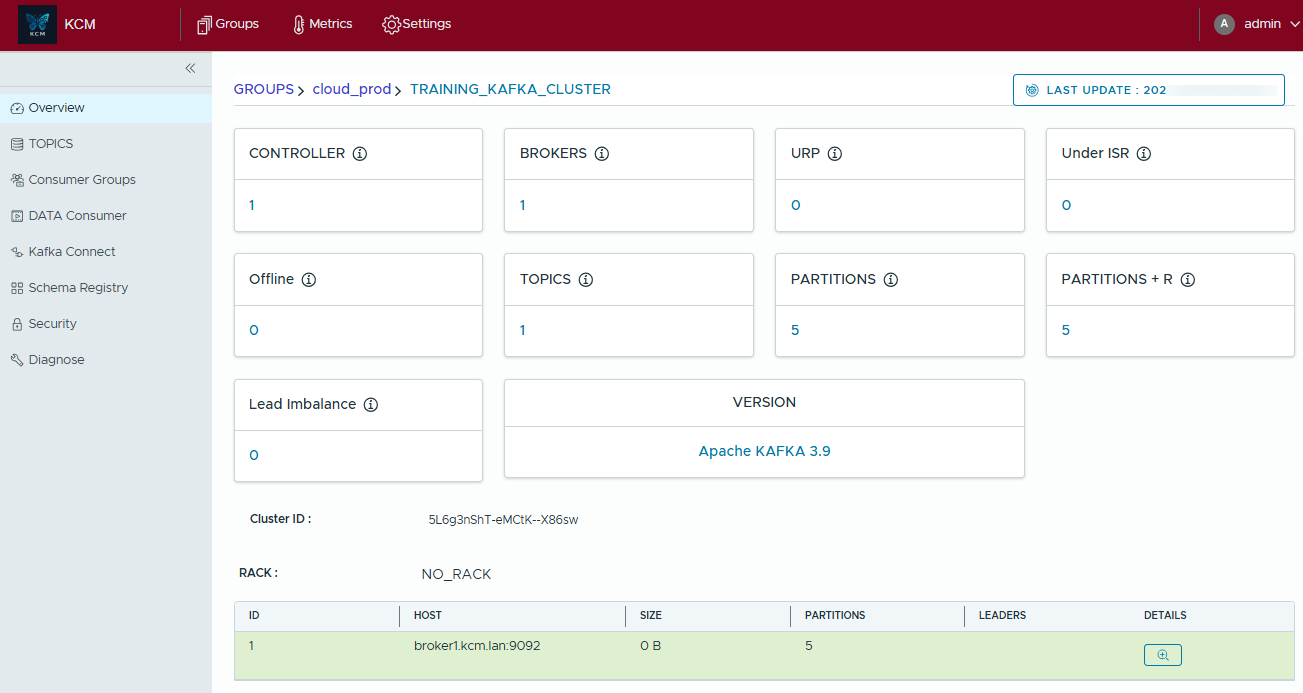
The overview of a cluster shows the controller, brokers (missing and unreachable ones included), topics, partitions, offline and under-replicated partitions, the Kafka version and the cluster mode, with alerts when something is wrong, for example when the Kafka authorizer is disabled.
Topics
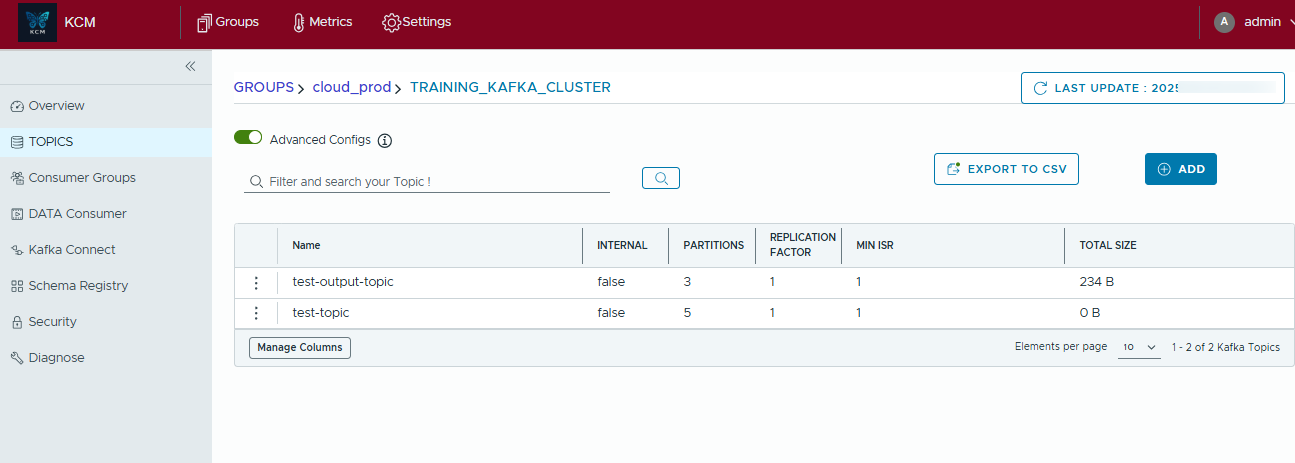
- List topics in a simple or an advanced view, filter by name, labels and tags, export the table.
- Create topics with partitions, replication factor and configuration; edit configurations; add partitions; purge or delete topics.
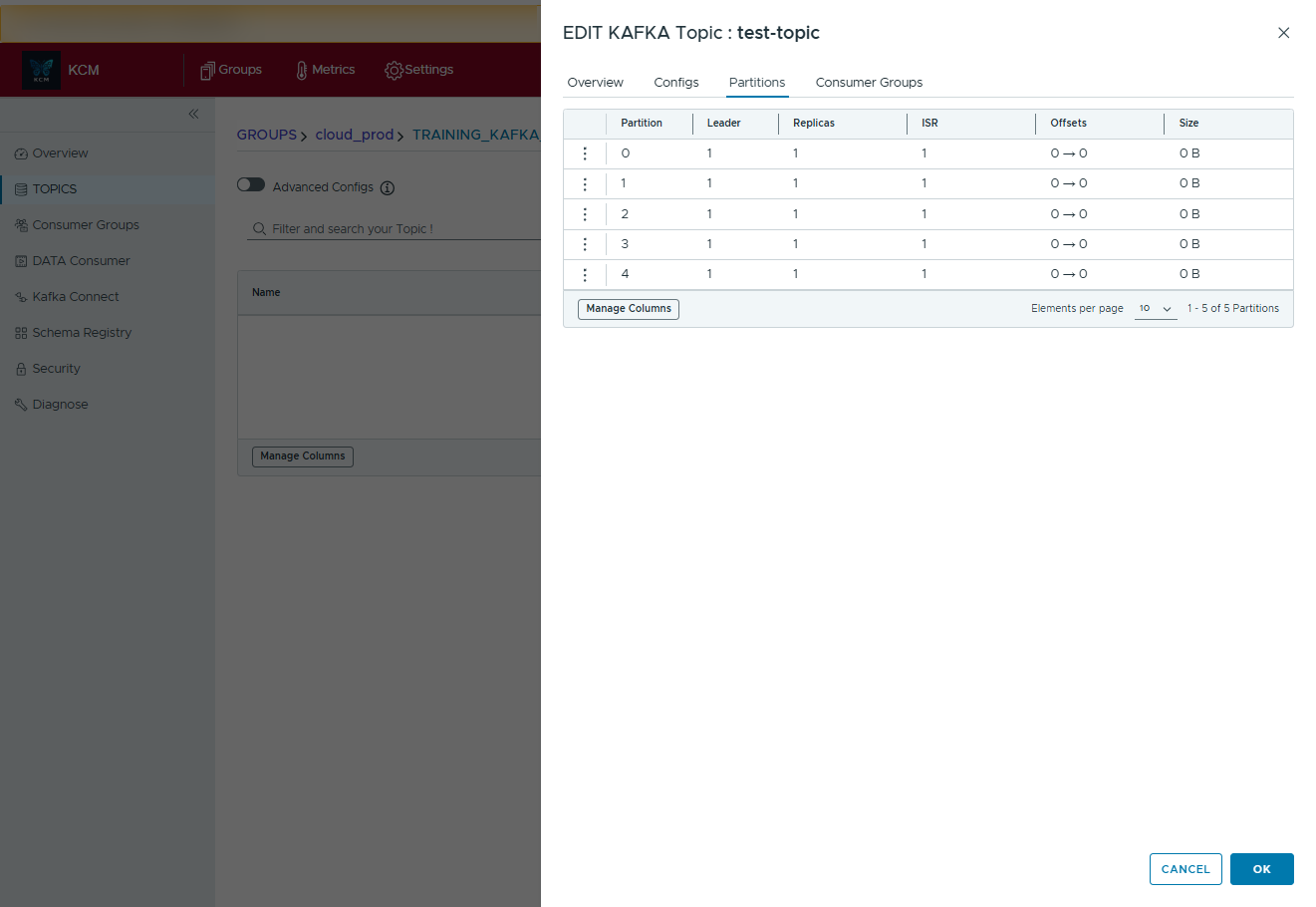
- Inspect partitions, leaders, replicas and in-sync replicas, and the ACLs of a topic.
- Compare the configuration of two topics.
- Produce to or consume from a topic in one click, see Produce and consume.
- Document the topic with metadata and classification, see Classification and masking.
Consumer groups
- See the state, members, coordinator and lag of every group, by topic and by partition.
- The lag trend chart shows the lag over time from snapshots taken every 5 minutes and kept 7 days, on clusters with metrics turned on. Unknown lag shows as a gap, not as zero.
- Create a group, reset its offsets (to the beginning, the end, a date or an offset) after a summary of what will change, or delete it.

AI assistant (beta)
When turned on (KCM_ASSISTANT_ENABLED, off by default), a consumer group gets a plain English
analysis of its lag, members and offsets over a chosen period of up to 7 days, with the history of past analyses.
The model runs on your own Ollama server: no data leaves your network. The assistant explains, it never changes
anything. See the configuration reference.
ACLs, Kafka users and quotas
The Security page of a cluster manages ACLs (create, delete, filter), SCRAM users, AWS MSK IAM users and client quotas. All of it needs ADMIN on the cluster. On Confluent Cloud clusters, see Confluent Cloud IAM.
Metrics
Starter With metrics turned on for a cluster, KCM computes the traffic of each topic every 15 minutes and shows messages per minute over the last hour, 24 hours, 7 days, 30 days or a custom range. Exclude topics from metrics with regular expressions that match the whole topic name (internal topics are always excluded).
Diagnostics and operations
Starter For cluster ADMINs:
- Partition reassignment: plan and run reassignments, fix partitions under the minimum in-sync replicas, with tracking and rollback.
- Leader rebalancing: preferred leader election, or custom balancing with broker weights, excluded brokers and topic filters, for stretch clusters too. Dry run by default, then an asynchronous run with history, status and rollback.
What-if simulation
Simulate the failure of brokers or of a whole rack, with or without a preferred leader election, and compare the simulated state with the real one: which partitions would go offline or under-replicated. Simulations never touch the cluster; results are kept 30 minutes. Not available on Confluent Cloud clusters.