Produce and consume messages
Send test messages, replay real ones, and read topics live or up to their end, with server-side search and masking of personal data.
Produce a message
- In Topics, open the action menu of a topic and choose Produce.
- Fill in the headers (optional), the key and the value. Set the acknowledgment mode if needed.
- If the topic uses Schema Registry, pick the key and value schemas: KCM serializes Avro and JSON Schema messages and validates them against the schema.
- Click Produce. A notification gives the partition and offset. The button is disabled while sending, so a double click never sends twice.
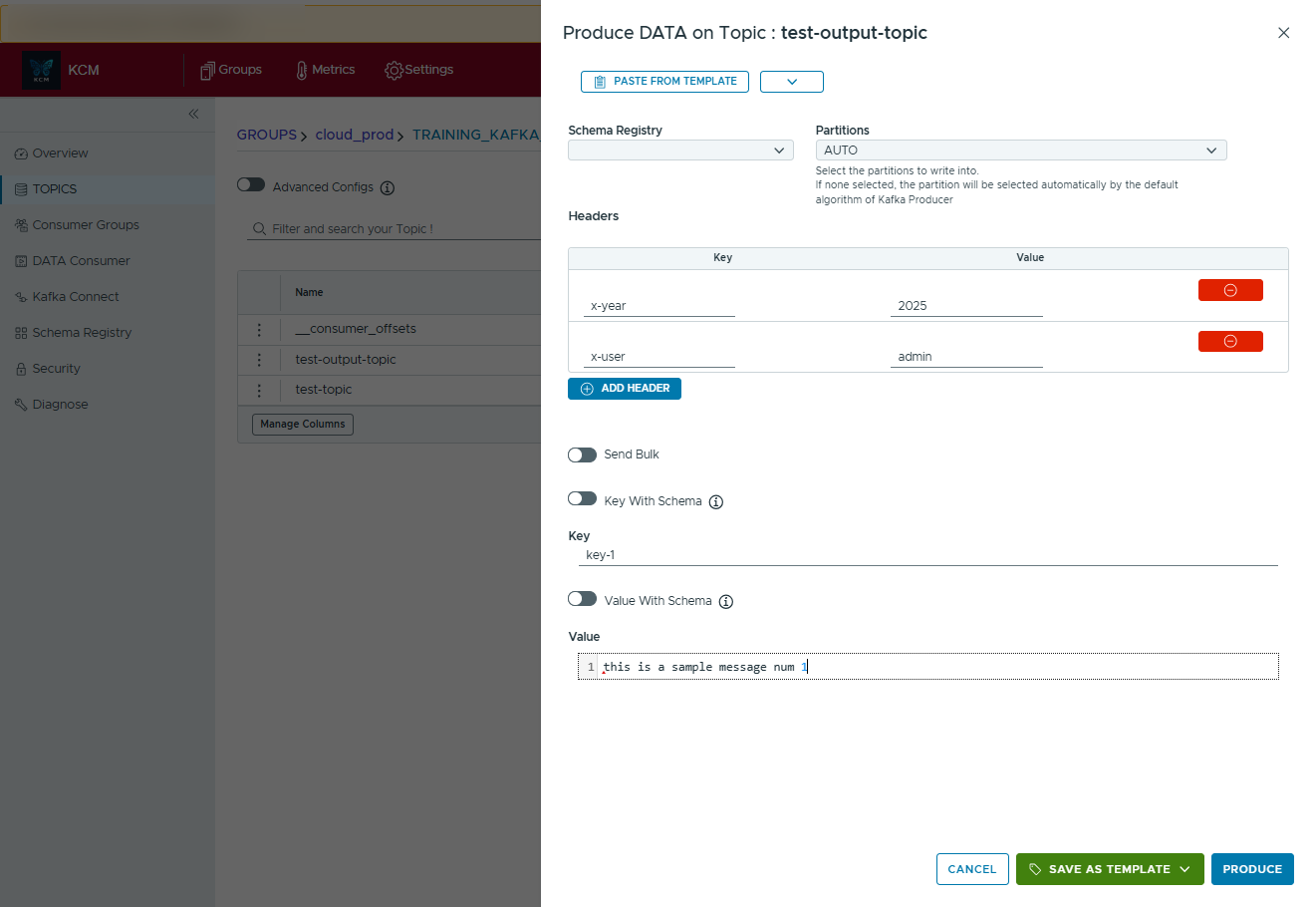
Producing needs WRITE on the topic, through a cluster EDITOR or ADMIN role or a topic grant. Every
message produced from KCM is recorded in the audit trail, without its content.
Templates and history
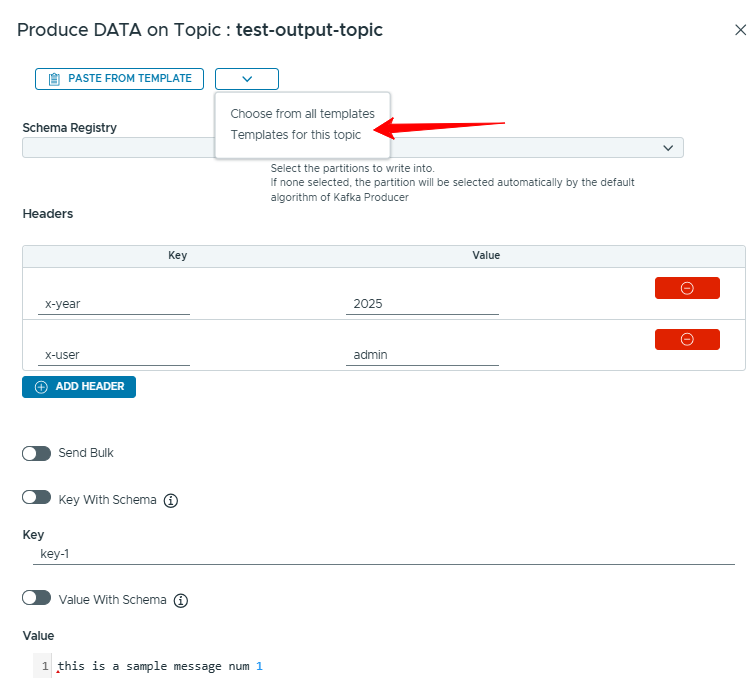
- Save as template keeps a message (headers included) to send again later, from the same topic or another one. When a template belongs to another topic, KCM asks whether to switch topics.
- Import a message from a JSON file by drag and drop.
- The production history lists the messages you produced and replays them.
Bulk produce
The bulk producer sends many messages at once, each with its own key and headers, typed in the editor, built from templates, or exported from the consumer page. A results window lists each message sent.
Consume messages
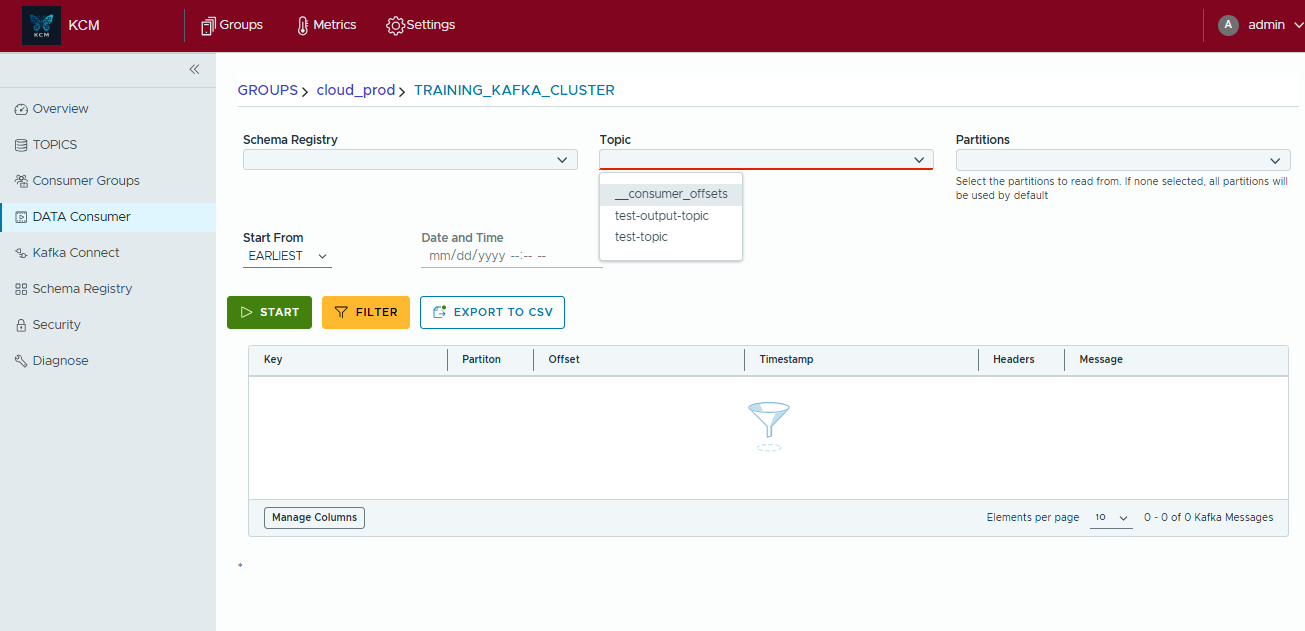
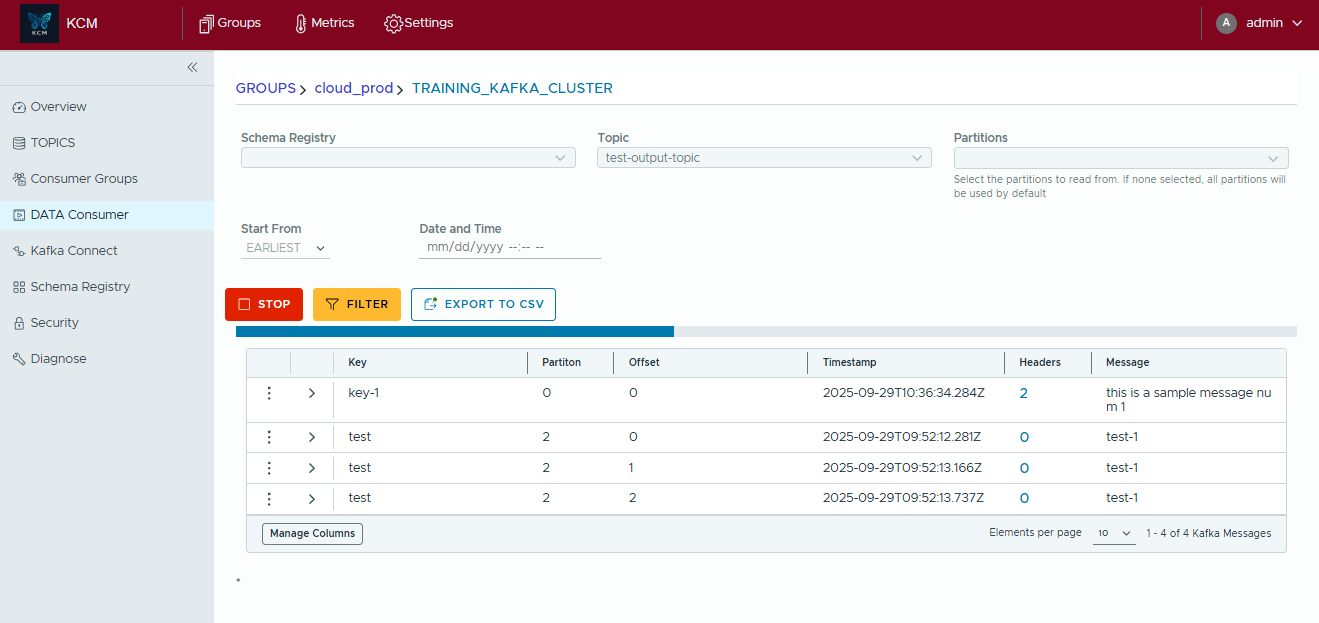
Open Data Consumer (or Consume from a topic), pick the cluster and the topic, choose where to start, then Start. Several consumer tabs can stay open side by side, each with its own settings.
Where to start
| Start from | Reads |
|---|---|
| Latest | Only new messages. |
| Last N messages | The last N messages (10 to 10,000 in the console), spread over the non-empty partitions, then new ones. |
| Earliest | From the beginning of each partition. |
| Date time | From a date, optionally up to an end date. A partition with no message after the date starts at its end. |
| By offset | From a start offset per partition, optionally up to an end offset. |
Every mode works on all partitions or on the ones you select. Read committed hides messages of aborted transactions.
Live tail, pause, resume and stop
- Stop at end on: KCM reads up to the end of the topic as it was when you started (or up to the end offsets or date), then stops. Off: it keeps tailing new messages.
- The tail runs on the server on its own and streams batches to the browser, with a progress per partition.
- Pause holds the reading without losing your place; Resume continues; Stop ends the session.
- Keep in browser bounds how many of the newest messages the page keeps: 1,000, 5,000 (default), 10,000 or 50,000. Older ones are dropped from the page and a badge says so.
The consumer page never commits offsets. Reads from a date, an offset or the last N messages leave no consumer
group on the brokers; other reads use a temporary group with the KCM prefix (KCM_ by default),
deleted when the session ends. Leftover empty temporary groups are cleaned up every hour.
Search on the server
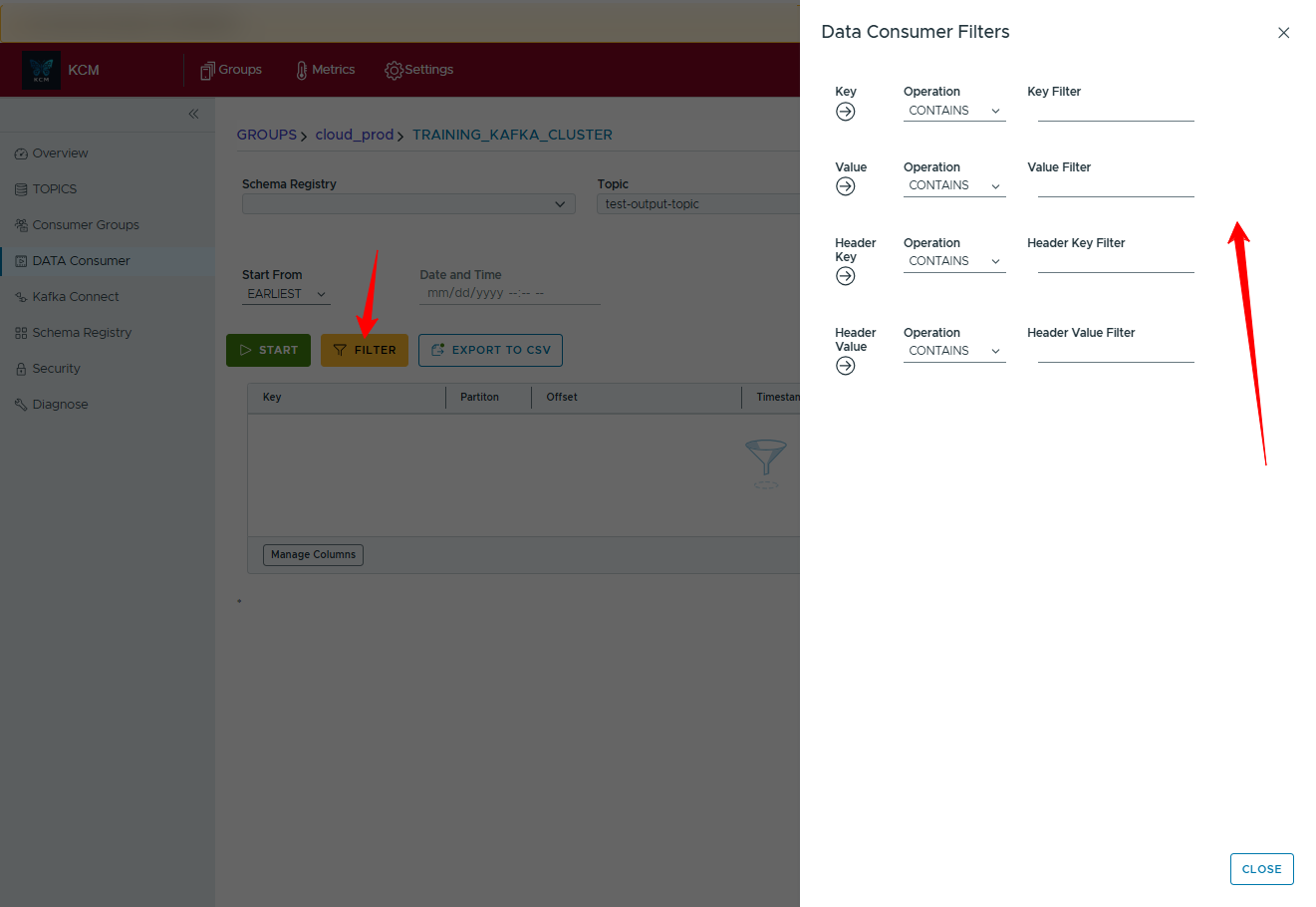
Filters run on the server, on every message read, before anything reaches the browser. All filters must match (up to 20 per session).
- Where: the key, the value, a header (by name, value, or both), or a JSON field of the value
such as
status,customer.address.cityor$.items[*].sku. - How: equals, not equals, contains (default), not contains, starts with, ends with, regular expression, greater than and less than (numbers).
- Case insensitive by default, with a case-sensitive option. JSON field names are case sensitive.
Masking comes first
When a topic has masked fields (see Classification and masking), KCM masks each message before applying the filters, so a filter can never reveal a masked value by matching it. Messages that cannot be decoded are not sent at all for such topics.
Work with the results
- Open a message to see its headers, key, value, schema id and metadata. Keys or values that cannot be decoded are shown with a decode error, without stopping the session.
- Compare two messages side by side.
- Copy a message as a template, edit it and produce it to a topic, or replay it.
- Export the messages shown to CSV or JSON, or send them to the bulk producer.
Permissions and limits
- Reading needs
READon the topic: a role on the cluster (VIEWER or above) or a topic grant with READ. TheAUDITORrole never reads message content. - An administrator can tune the live consumer in Settings: largest batch per poll (500), sessions per user (10) and sessions per KCM instance (100).
- The browser must load the console from an origin listed in
KCM_REDIRECT_ALLOWLIST. - Live message tails are recorded in the audit trail.