Kafka clusters
Group your clusters by environment, register them with their security settings, and check the connection before you save.
Environments
An environment (also called a KCM group) holds Kafka clusters that belong together, for example production, staging or a region. Each one has a name and a color, used in the header so you always know where you are. Roles granted on an environment apply to all its clusters.
- Open Environments and click Add.
- Give it a name, for example
production, and a color. - Open it to see its clusters.
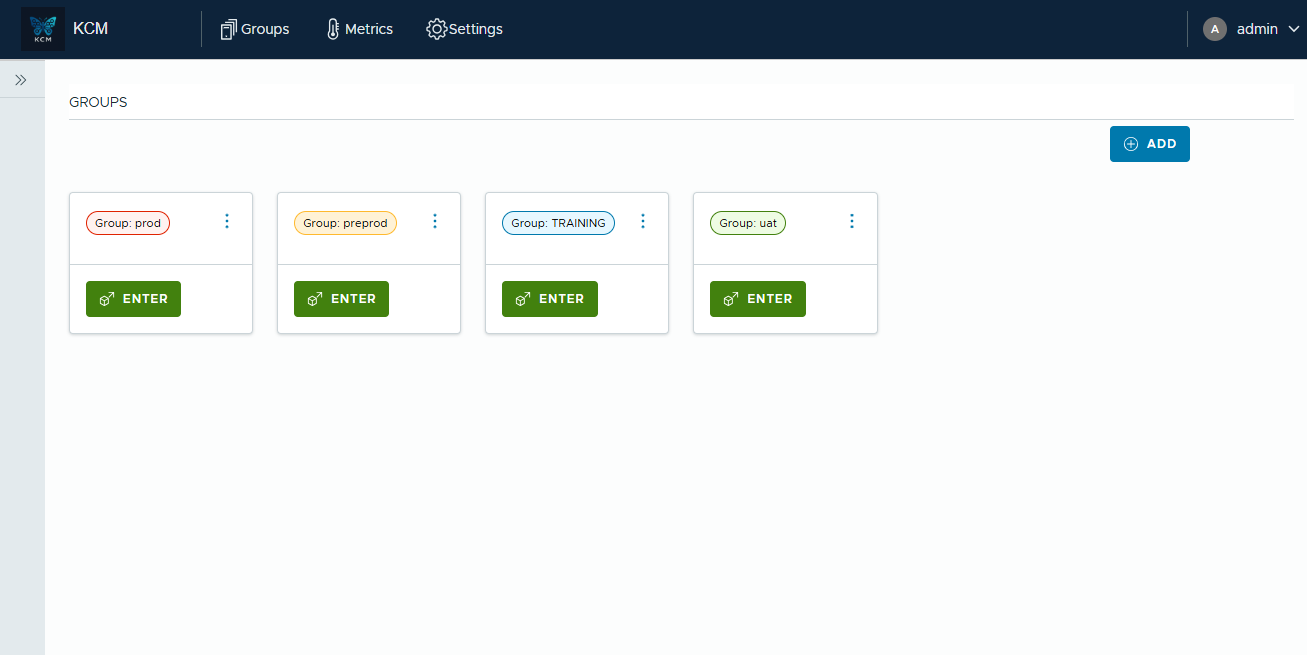
Creating an environment needs the global ADMIN role; editing it needs ADMIN on the environment.
Register a Kafka cluster
- In the environment, click Add.
- General: a name (unique in the environment) and the bootstrap servers. Optionally turn on
metrics, set a consumer group prefix (
KCM_by default) for the temporary groups of KCM, and topics to exclude from metrics. - Security: the protocol and its credentials (see below).
- Create, then Test connection.
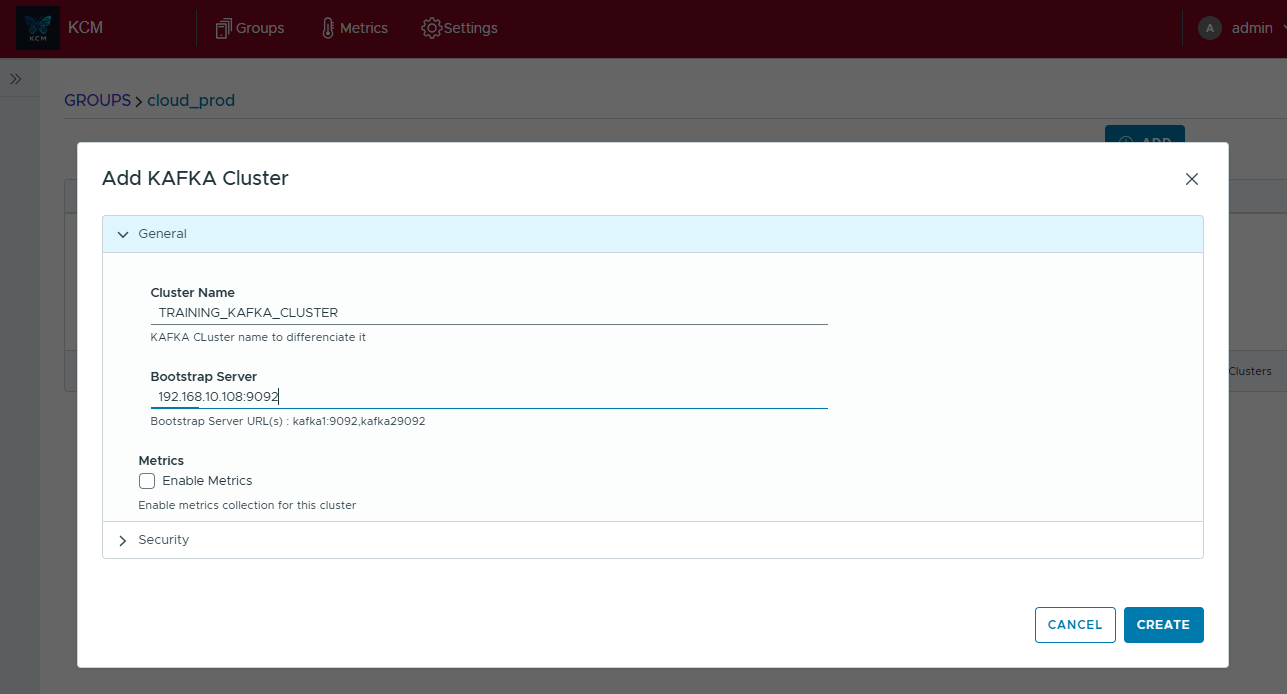
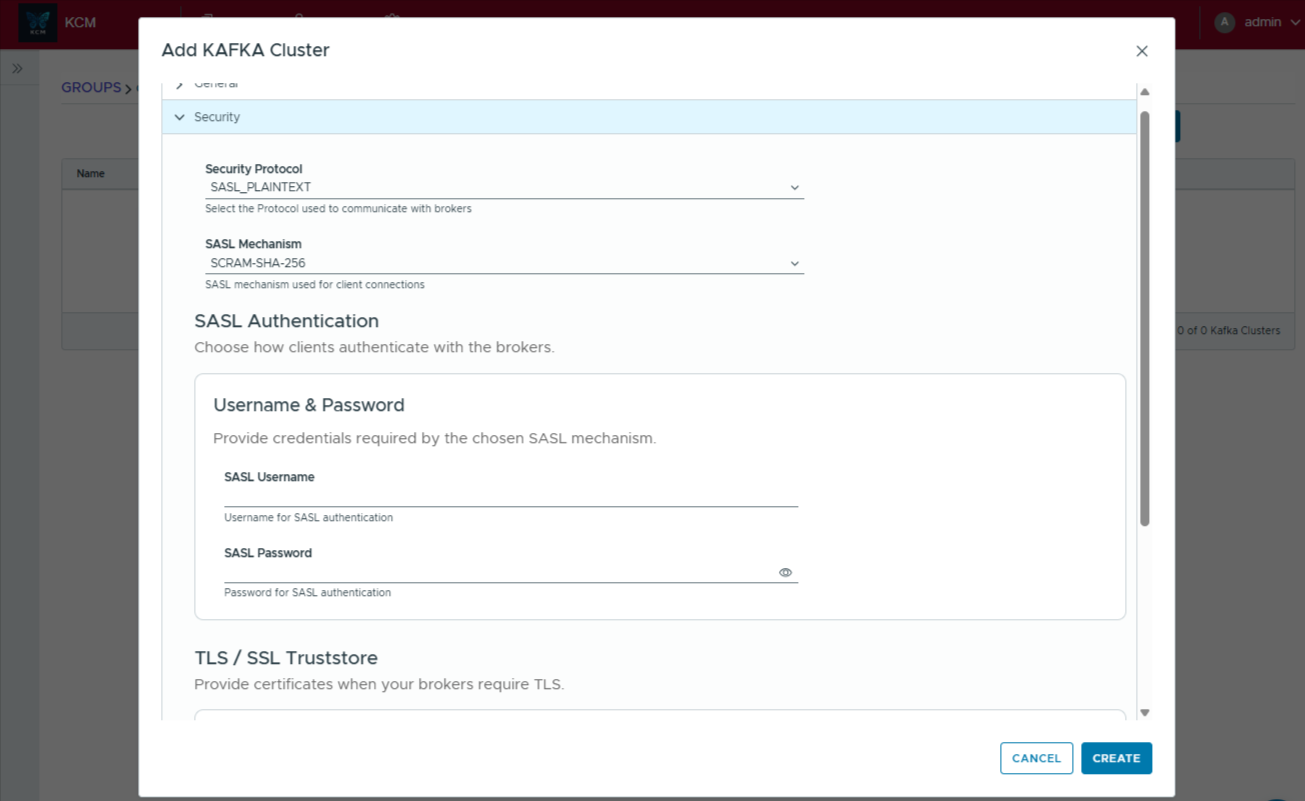
Creating, editing or deleting a cluster needs ADMIN on its environment. Changing the host of a cluster asks for its password again. Deleting a cluster removes only the truststore and keytab files that KCM stored itself.
Security protocols
| Protocol | What to provide |
|---|---|
PLAINTEXT | Nothing (test and local clusters only). |
SSL | The truststore of the brokers and its password; a keystore for mutual TLS. |
SASL_PLAINTEXT, SASL_SSL | The mechanism (PLAIN, SCRAM-SHA-256, SCRAM-SHA-512, GSSAPI for Kerberos, and AWS_MSK_IAM with SASL_SSL) and its credentials or JAAS configuration; for SASL_SSL, the truststore. |
- Kerberos: upload the keytab and the krb5 configuration in the cluster form.
- AWS MSK: IAM authentication is supported, with ARN detection and permission simulation for Kafka users.
- Passwords, JAAS configurations and truststore passwords are encrypted in the database and never returned by the API: fields show Unchanged, and leaving them untouched keeps the stored value.
Test the connection
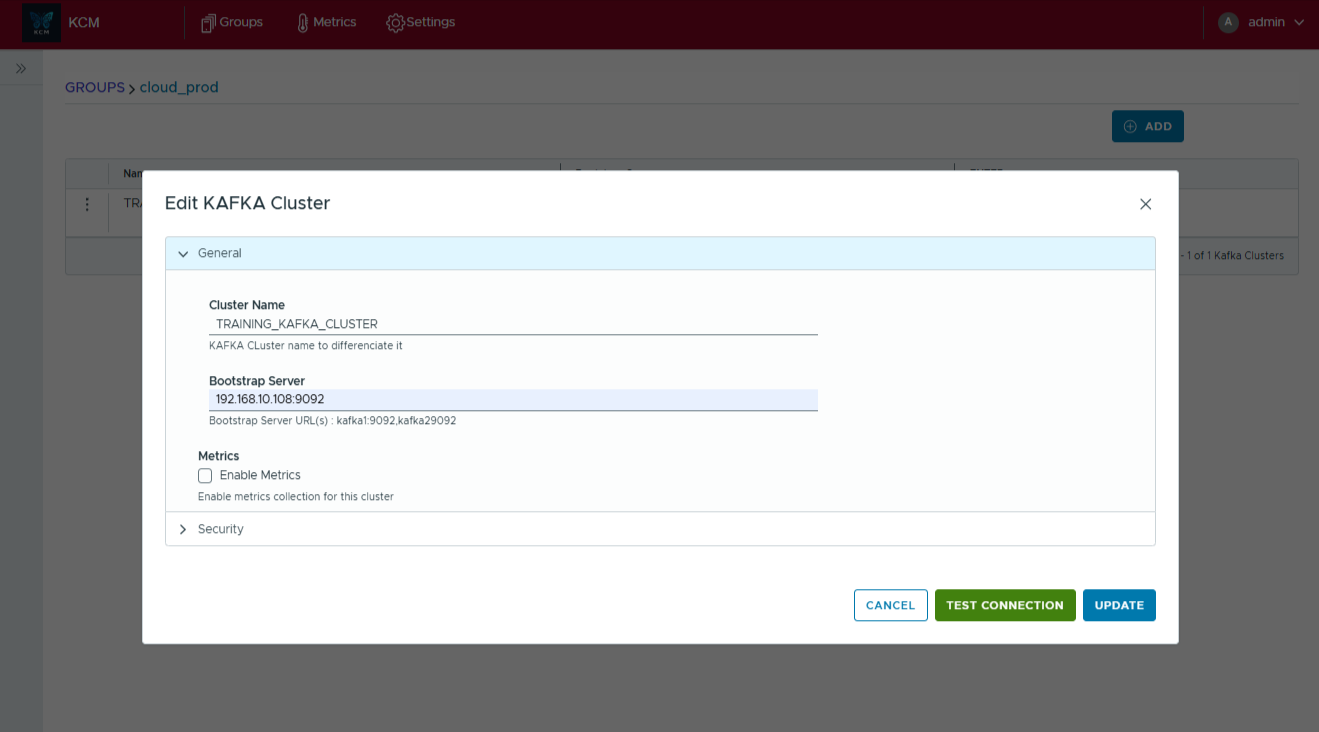
The test logs the full error in the API log. See Troubleshooting when it fails.
Trusted certificates
In Settings > Trusted certificates, global ADMINs add the CA certificates (PEM) of your private certificate authorities, or of a TLS inspecting proxy. They apply at once, without restart, to every HTTPS call of KCM: Schema Registry, Kafka Connect, ksqlDB, Confluent Cloud APIs and the AI assistant. Kafka brokers use the truststore of each cluster instead.
Next to a Kafka cluster
- Schema Registry, Kafka Connect and ksqlDB connections belong to a Kafka cluster.
- Confluent Cloud clusters are imported from their organization, see Confluent Cloud.
- The number of clusters and connections you can add depends on your edition.