Editions and licensing
KCM comes in four editions. Every edition runs the same software on your own infrastructure: the license only decides which features are on and how many resources you can configure.
The four editions
Quotas
| Community | Starter | Team | Enterprise | |
|---|---|---|---|---|
| Kafka clusters | 2 | 3 | 3, more as an option | Sized to your needs, on quote |
| Kafka Connect clusters | 2 | 3 | 5 | Sized to your needs, on quote |
| Schema Registries | 2 | 3 | 3 | Sized to your needs, on quote |
| ksqlDB endpoints | 2 | 3 | 5 | Sized to your needs, on quote |
| Seats (users and service accounts) | 1 | 1 | 20 | Sized to your needs, on quote |
| Saved test scenarios per cluster | None | 5 | 20 | Sized to your needs, on quote |
Features by edition
| Feature | Community | Starter | Team | Enterprise |
|---|---|---|---|---|
| Topics, messages, consumer groups, Schema Registry, Kafka Connect, ksqlDB, ACLs | Yes | Yes | Yes | Yes |
| Confluent Cloud import, managed connectors, topic sizes, cluster health, service limits | Yes | Yes | Yes | Yes |
| Audit trail (search in the console) | Yes | Yes | Yes | Yes |
| Two-factor sign in, sessions, sign in locks | Yes | Yes | Yes | Yes |
| KCM as code (role groups, role bindings) | Yes | Yes | Yes | Yes |
| Metrics, diagnostics, partition reassignment, leader rebalancing | Yes | Yes | Yes | |
| Topic metadata, PII classification and masking | Yes | Yes | Yes | |
| Test scenarios | Yes | Yes | Yes | |
| Several users, roles and role groups, AUDITOR role | Yes | Yes | ||
| Service accounts and API tokens, read-only tokens | Yes | Yes | ||
| SSO (OIDC, SAML), roles and role groups from the identity provider | Yes | |||
| Delegated administration, SECURITY_ADMIN role | Yes | |||
| Audit export to CSV and JSON event stream for a SIEM | Yes | |||
| Confluent Cloud IAM, API keys, role bindings, client quotas, Flink SQL | Yes |
Starter is for one developer. In a company, it is allowed only on a developer's own workstation; to share KCM or run it on a shared server, choose Team or Enterprise.
Throughout this documentation, a tag such as Team or Enterprise marks the first edition that includes a feature.
Seats
- Every enabled account takes a seat: users, whether they sign in with a password or SSO, and service accounts.
- Disabled accounts free their seat. Enabling an account again takes a seat again.
- When all seats are taken, KCM refuses new accounts, including users created at their first SSO sign in, but the existing ones keep working.
- In Community and Starter, the single seat is the built-in
adminaccount.
30-day Enterprise trial
Your first license comes with 30 days of Enterprise features: SSO, delegated administration, audit export, Confluent Cloud IAM and Flink SQL, and additional seats.
- With Starter and Team, the trial starts with your subscription.
- With Community, ask for a free license with your email address.
- One trial per person and per company.
When a license allows less than you configured
This happens at the end of a trial, or after moving to a smaller edition. KCM keeps the edition of your license and:
- keeps every cluster, connection and account running;
- blocks additions and changes of the resources over quota until you remove the extra ones or upgrade;
- shows a banner that says what to remove.
The quotas cover Kafka clusters, Kafka Connect clusters, Schema Registries, ksqlDB endpoints, seats and saved test scenarios.
Install or update a license
- Subscribe on the pricing page, or contact us for Enterprise. You receive an email with access to your KCMHub account.
- In KCM, open Settings > License.
- Fetch the license from your KCMHub account with the button of the License page: it signs you in to KCMHub and imports your latest license back into KCM. Or, on the Update tab, upload the license file or paste the license.
- Check that the License page shows your edition, its quotas and its end date.
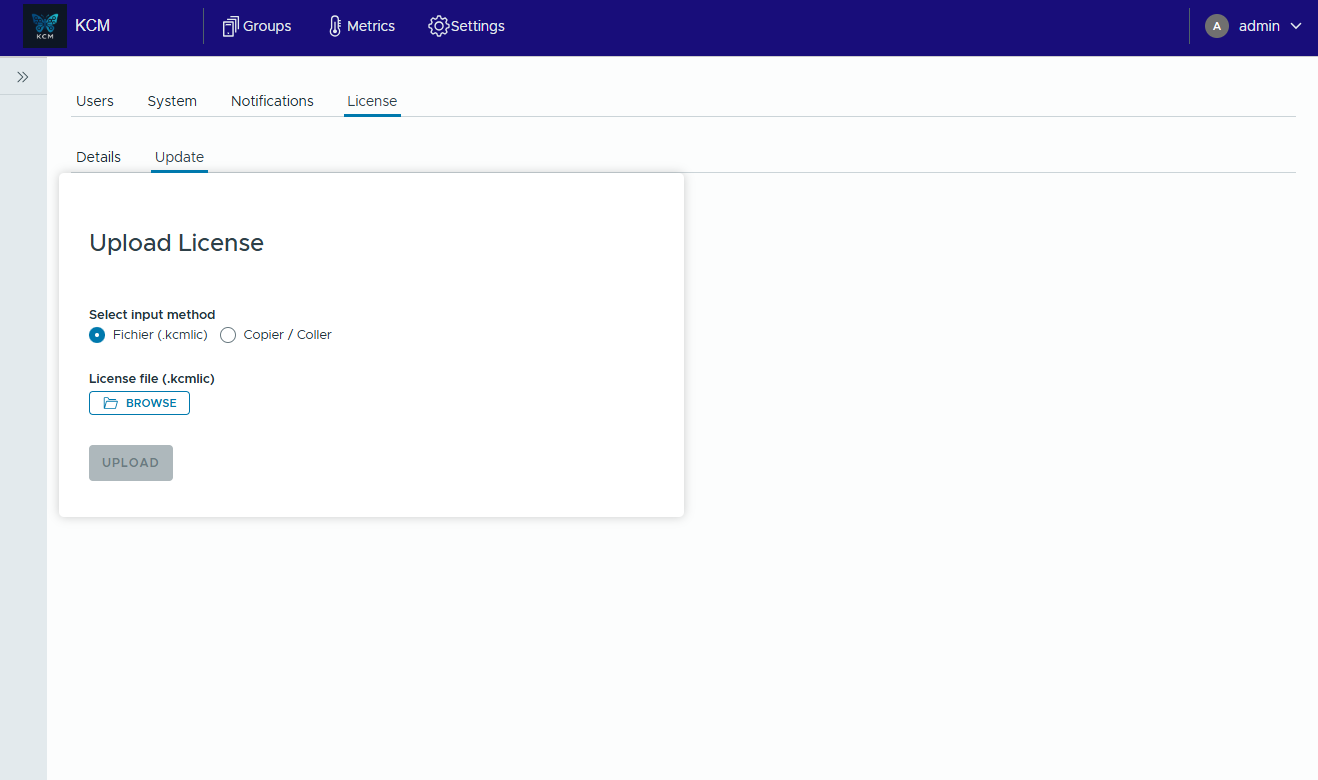
Uploading a license needs the global ADMIN role. A new license applies without restart.
If KCM cannot reach the internet, contact support@kcmhub.io: air-gapped deployment is supported with the Enterprise edition.
Cancellation
You can cancel anytime. Access remains active until the end of the current billing period, then KCM goes back to the free Community edition, with the rules of surplus resources above.